Introduction:
If you are a small business owner or freelancer, you know the pain of writing cheques by hand. It’s slow, messy, and unprofessional. try our Best free cheque printing software.
You probably searched for “Cheque Printing Software” and found tools like QuickBooks or Tally. While powerful, they come with a hefty price tag and require a steep learning curve.
Do you really need expensive accounting software just to print a vendor payment? No.
In 2026, the market has shifted toward lightweight, browser-based tools. In this guide, we compare the 5 Best Free & Paid Cheque Printing Software Alternatives, ranking them by ease of use, cost, and speed.
| Software | Best For | Price | Platform |
|---|---|---|---|
| 1. ChequePrint.Cloud | 🚀 Instant Printing | FREE | Browser (Web) |
| 2. QuickBooks Online | 📊 Full Accounting | $30/mo+ | Web / App |
| 3. ChequeWriter (Offline) | 💻 Offline PC | $20 One-time | Windows Only |
| 4. OnlineCheckWriter | The Mail Service | Subscription | Web |
| 5. Excel Templates | 🛠️ DIY Fans | Free | Microsoft Excel |
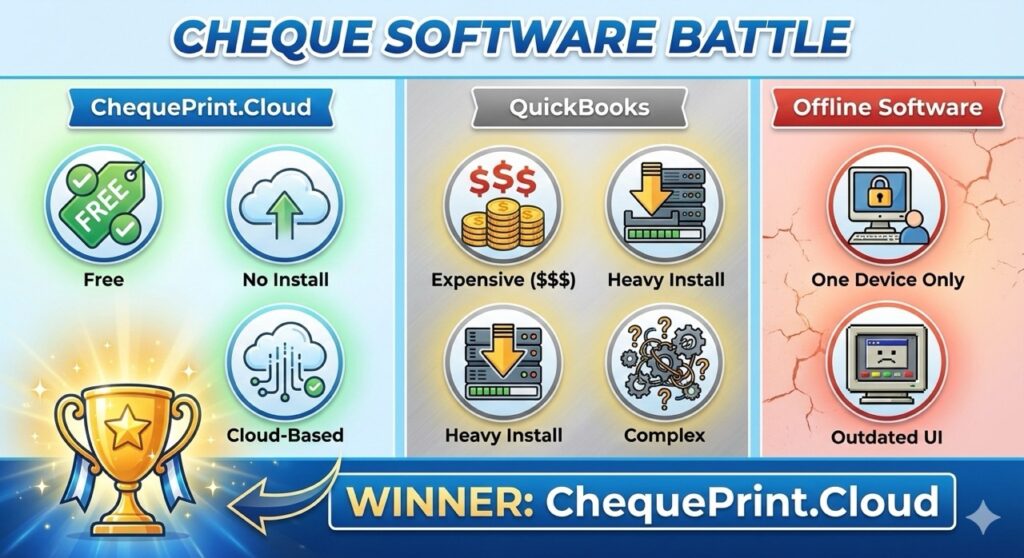
ChequePrint.Cloud (Best free cheque printing software)
If you need to print a cheque right now without creating an account or installing an .exe file, this is your best option.
- How it works: You open the website, type the Payee Name and click Print. The tool runs entirely in your browser (Client-Side), ensuring your data stays private.
- Key Features:
Verdict: 🏆 Best for Instant Use. Perfect for individuals and small businesses who print <50 cheques a month.
QuickBooks Online (Best for Accountants)
QuickBooks is the industry giant. It isn’t just a cheque printer; it is a full accounting suite.
- The Good: It tracks your expenses automatically. When you print a check, it deducts that amount from your digital bank ledger.
- The Bad: It is expensive. If you only need to print 5 checks a month, paying a subscription fee is overkill. Also, you usually need to buy specific “QuickBooks Compatible” check stock (3-on-a-page).
Verdict: Best for Power Users. If you already pay for QuickBooks for accounting, use it. If not, don’t buy it just for printing.
ChequeWriter (Legacy Offline Software)
There are many “Old School” Windows programs available on CD-ROM or download sites (like CNET) called simply “Cheque Writer”.
- The Good: Once installed, it works offline. You don’t need internet access.
- The Bad: Most of these look like they were built in Windows 98. They are clunky, hard to update, and often trigger antivirus warnings. They also rarely support modern printer drivers easily.
Verdict: Good for Offline PCs. Only use this if you have an old office computer with no internet connection.
OnlineCheckWriter.com (Best for Mailing)
This is a robust SaaS platform that competes with QuickBooks but focuses solely on checks.
- The Good: They offer a “Mail Service.” You create the check digitally, and they print and mail it physically to your vendor (for a fee).
- The Bad: The “Free” version is very limited. To unlock the real features (like emailing checks), you need a subscription.
Verdict: Best for Remote Teams. If you are traveling and need to send a physical check to an office in another state, their mailing service is worth the cost.
Excel, Word Templates (The DIY Method)
Technically, you can print a cheque using Microsoft Word or Excel.
- The Method: You download a
.doctemplate, measure your check with a ruler, and drag text boxes around until they line up. - The Problem: Alignment is a nightmare. Every time you open the file on a different computer, the text boxes shift. Also, Excel does not automatically convert numbers to words (unless you write complex VBA macros).
Verdict: Good for One-Offs. Use this only if you are tech-savvy and patient.
Conclusion: Which Should You Choose?
- Choose QuickBooks if you need full accounting and tax reports.
- Choose ChequePrint.Cloud if you want a free, secure, and instant way to print cheques on your home printer without headaches.
Stop fighting with complex software. Try the Free Cheque Printer Now.