Introduction:
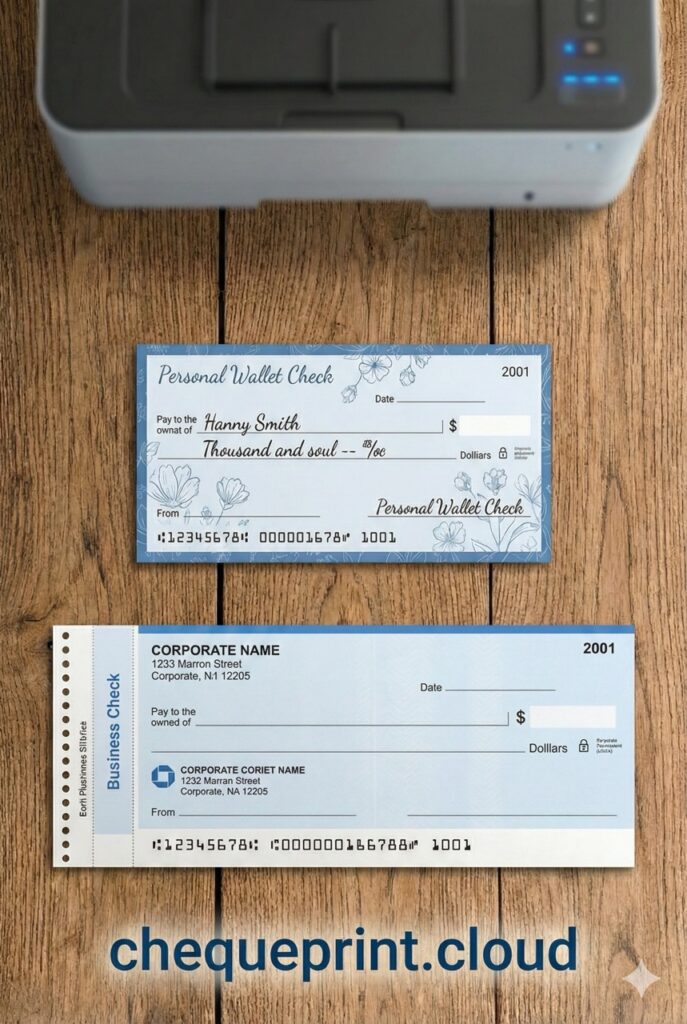
Pro Tips: Go to our tool ChequePrint.cloud and align your check perfectly.
When you decide to print checks at home, the first hurdle you face isn’t usually the software—it’s the paper. You might grab a ruler, look at your printer tray, and ask: “Is this a standard size?” or “Will my printer settings fit this check?” or ” what is the check format for printing“
In the United States, check sizes are standardized by the ANSI (American National Standards Institute), but there is a significant difference between the check you use for groceries (Personal) and the check a company uses for payroll (Business).
If you are looking for the correct check format for printing, getting the dimensions wrong can lead to misaligned text, wasted paper, and even rejected payments by the bank.
In this guide, we will break down the precise differences between Personal vs. Business checks and their dimensions and show you how to print onto both formats using our free online check writer tool.
Comparison: Personal vs. Business Checks
| Feature | Personal Check (Wallet) | Business Check (Standard) |
|---|---|---|
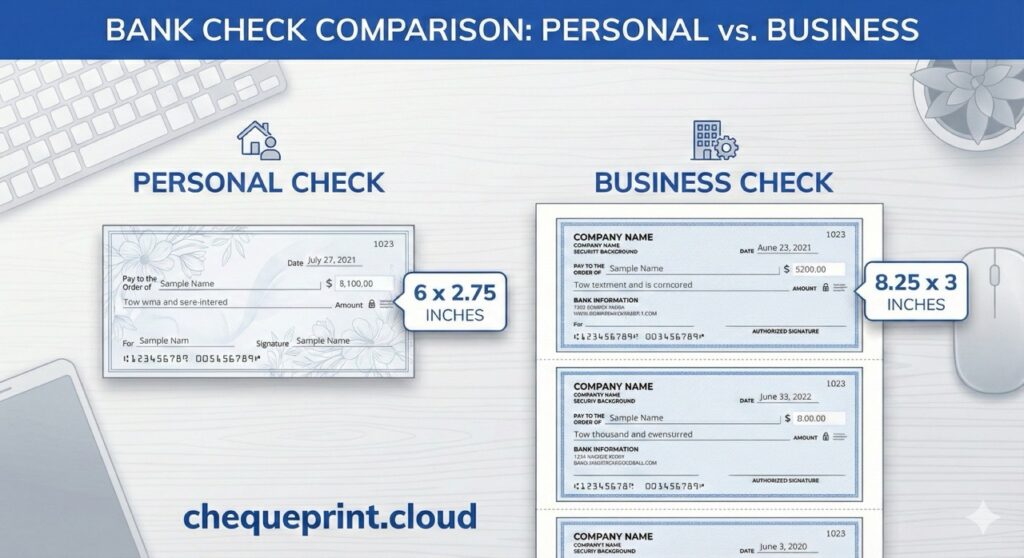
| Dimensions | 6″ x 2.75″ | 8.25″ x 3″ |
| Paper Stock | Sold as books or sheets | Standard Letter Sheets |
| Security | Basic Features | Advanced (Holograms, Microprint) |
| Best For | Family, Small Bills | Payroll, Contractors, High Value |
Quick Check Dimensions (US Standards)
| Check Type | Width | Height |
|---|---|---|
| Personal (Wallet) Check | 6.00 inches (152.4 MM) | 2.75 inches (69.85 MM) |
| Business (Standard) Check | 8.25 inches (209.55 MM) | 3.00 inches (76.2 MM) |
The Personal Check Format (Wallet Size)
The “Personal Check” is the most common format used by individuals. These are typically what you receive in a small box when you open a standard checking account.
- Standard Size: 6 inches x 2.75 inches (approx).
- Paper Layout: Usually, these come attached in books. However, if you buy printable personal check stock, they often come as 3 checks on one standard Letter-sized (8.5 x 11) sheet, with perforations to tear them apart.
- Typical Use: Rent, utility bills, birthday gifts, and casual payments.
The Printing Challenge: Because personal checks are physically small (only 6 inches wide), some modern laser printers struggle to feed a single loose check leaf. The rollers simply can’t grab it.
The Fix: If you plan to print personal checks often, we recommend buying “3-on-a-page” personal check stock from Amazon or Staples. This allows you to feed a full standard sheet into your printer. You print the top check, tear it off, and save the rest for l
The Business Check Format (Standard & Voucher)
Business checks are designed for corporate use and fit into standard #10 window envelopes. They are larger, look more authoritative, and often carry more security features.
- Standard Size: 8.25 inches x 3 inches (The check itself).
- Paper Layout: Business checks almost always come on a full 8.5 x 11-inch sheet.
- Style A (3-on-Page): Three actual checks on one page.
- Style B (Voucher): One check at the top (or middle), followed by two perforated “vouchers” or pay stubs for record-keeping.
- Typical Use: Payroll, vendor payments, tax payments.
The Printing Advantage: Since business checks are the same width as standard printer paper (8.5 inches), they are much easier to align in a home printer. This is why most check print online tools are optimized for business sizes by default.
How to Align Text for Any Format
Whether you are using a small personal check or a large business check, the fields (Date, Payee, Amount) are almost always in the same relative positions.
This is due to Federal Reserve standards which require the “Amount Box” (Courtesy Amount) to be on the right side for automated scanning.
However, “almost” isn’t good enough for printing. Here is how to handle the check format for printing using ChequePrint.Cloud:
Scenario A: Printing on a Single Loose Check (Personal)
If you have a single, small personal check leaf:
- Printer Setup: Adjust your printer’s sliding guides to the center or right (depending on your tray) to hold the small paper tight.
- Orientation: Most printers require you to feed the short edge first.
- Tool Settings: Use our tool’s “Top Offset” feature. Since the paper is small, you might need to test on a cut-out piece of plain paper first to ensure the printer starts printing at the very top edge.
Scenario B: Printing on a Full Sheet (Business/3-on-Page)
This is the easiest method and highly recommended for business owners.
- Printer Setup: Load the full sheet like normal paper.
- Tool Settings:
- Top Check: No offset usually needed.
- Middle Check: If you are trying to print on the second check of the page, measure the distance from the top of the page to the start of the second check (usually 3.5 inches).
- Calculate: Convert 3.5 inches to pixels (approx 336px) and enter that into our Top Offset field.
Common Alignment Issues & Fixes
Even with the correct format, printers can be finicky. Here are common issues we see with check format for printing:
- Text is too small: Ensure your printer settings are set to “Actual Size” or “Scale: 100%”. Never choose “Fit to Page.”
- Text is drifting right: Check your paper guides. If the check is loose in the tray, it will rotate slightly as it pulls in.
- MICR Line Interference: The bottom 0.625 inches of any check is reserved for the MICR line (Routing/Account numbers). Our tool protects this area, but if you add custom offsets, ensure you never print over these special numbers.
Conclusion
Understanding the correct check format for printing is the difference between a professional payment and a rejected piece of paper.
While Business checks are easier to handle due to their standard sheet size, our tool is flexible enough to handle Personal wallet-sized checks too. The key is measuring your paper and using the “Offset” controls to get that perfect fit.
Ready to print? Grab your checkbook, measure your paper, and start printing for free now.
Q. what is the difference between Personal Check and Business Check
A. Personal checks are physically small (only 6 inches wide), Business checks are the same width as standard printer paper (8.5 inches), they are much easier to align in a home printer
Q. USA and UK banks also supported?
A. Yes, all USA banks JPMorgan Chase: (Chase), Bank of America: (BofA), Citigroup and UK Banks like Lloyds Bank, Barclays, HSBC etc are supported in this tool. You can also adjust the check dimensions and input fields placement as you like.
Q: Does this tool support Personal vs Business Check Formats?
A: Yes. Our tool supports both Personal and Business check formats. Out tool also gives user flexibility to adjust input fields (payee name, date, etc) placement as they want also user can change the check dimensions according to their need.
Q. Is this check writer tool free?
A: Yes, our check writer tool in completely free and secure, no login in required.