Simplifying Everyday Life
Frequently Asked Questions
Find answers to commonly asked questions about our online cheque print services.
Q: Is it safe to print cheques online here?
A: Yes. chequeprint.cloud is a client-side tool. This means your financial details (payee name, amount) never leave your browser and are never saved on our servers.
Q: What kind of printer do I need?
A: You can use any standard HP printers, Canon, Brother, Epson Laser or Inkjet printers. Laser printers are recommended for better durability.
Q: Does this work for all Indian banks?
A: Yes. Most banks (SBI, HDFC, ICICI, etc.) follow a standard layout for the “Payee”, “Date”, and “Amount” fields. You can use our Alignment settings to fit any unique cheque format.
Q: Can I print on blank paper?
A: Technically yes, but banks require cheques to be on special MICR security paper. It is best to use this tool to print onto the cheque leaves provided by your bank or you first test on blank paper before printing on check leaf.
Q. USA and UK banks also supported?
A. Yes, all USA banks JPMorgan Chase: (Chase), Bank of America: (BofA), Citigroup and UK Banks like Lloyds Bank, Barclays, HSBC etc are supported in this tool. You can also adjust the check dimensions and input fields placement as you like.
Q: Does this support standard bank check formats?
A: Yes. Our tool also gives user flexibility to adjust input fields (payee name, date, etc) placement as they want also user can change the check dimensions according to their need.
Printing US Checks?
Learn about standard dimensions in our guide: Personal vs. Business Check Formats.
The “Custom Cheque” Hack
Perfect alignment for any non-standard bank cheque.
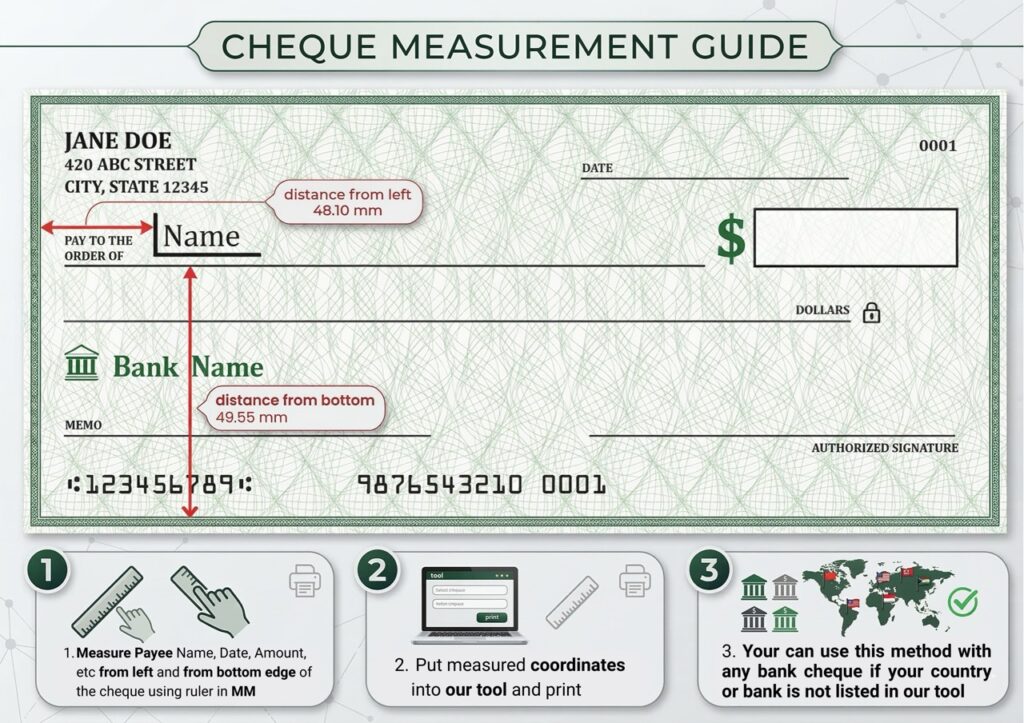
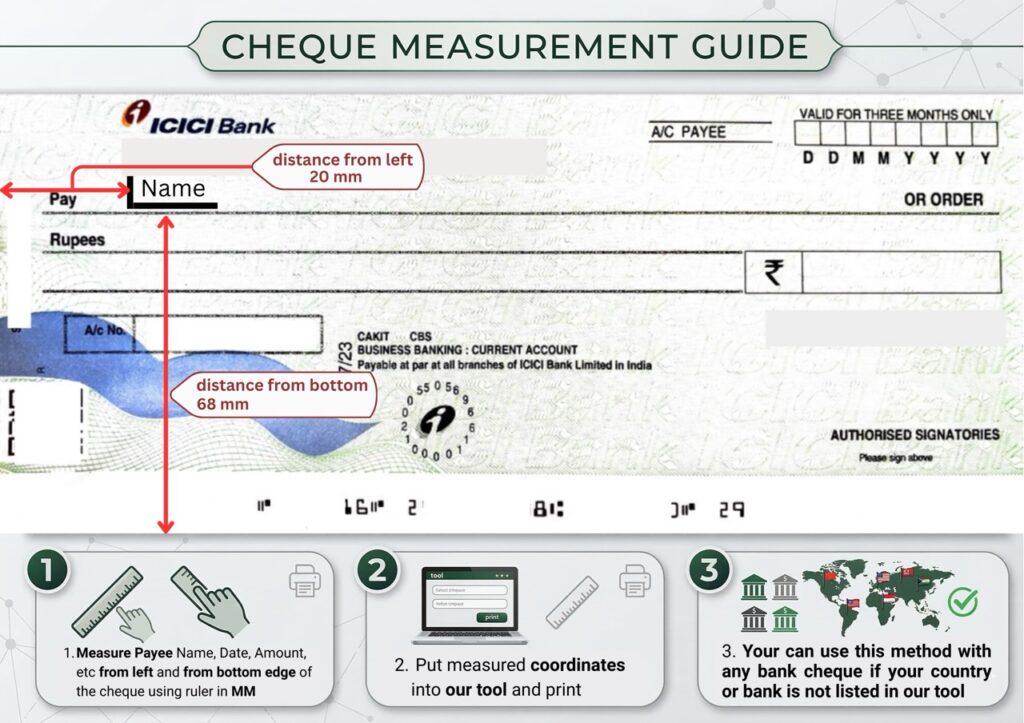
Grab a ruler. Measure the check’s total Width & Height. Then measure the distance of each field (Payee, Date, Amount) from the Left & Bottom edges.
On the tool, switch Region to 🛠️ Custom Cheque. Enter your total measured Width & Height.
Click any field in the preview box. Use your keyboard Arrow Keys (⬆️⬇️⬅️➡️) to move the text to the exact coordinates you measured.
Since you manually set the positions, you can ignore default settings. It will print exactly where you placed it.