Comprehensive Guide to Printing Cheques
Explore the range of services we offer to elevate your business.
How to Print a Check Online
Follow these 4 simple steps to print perfectly aligned cheques.
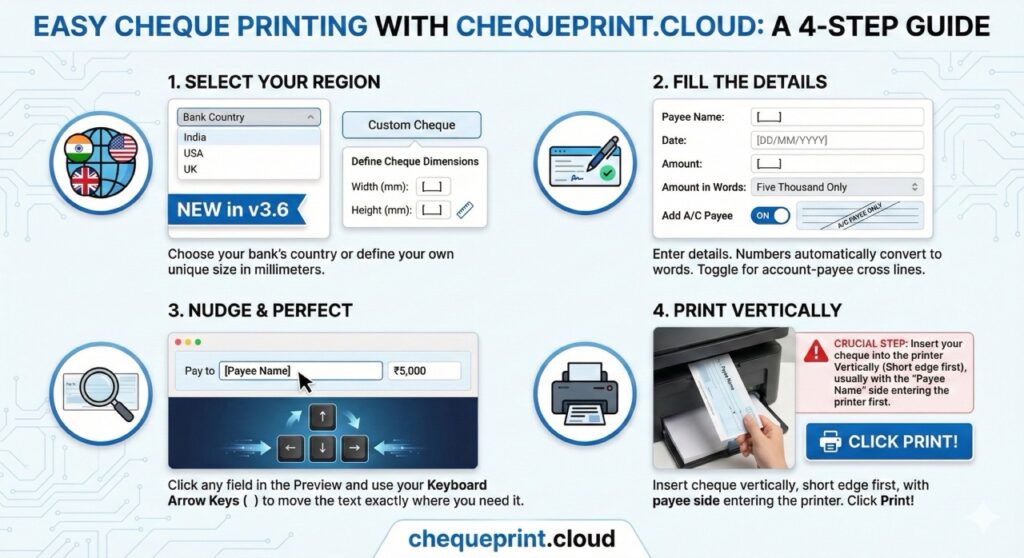
1. Select Region
Choose India, USA, or UK.
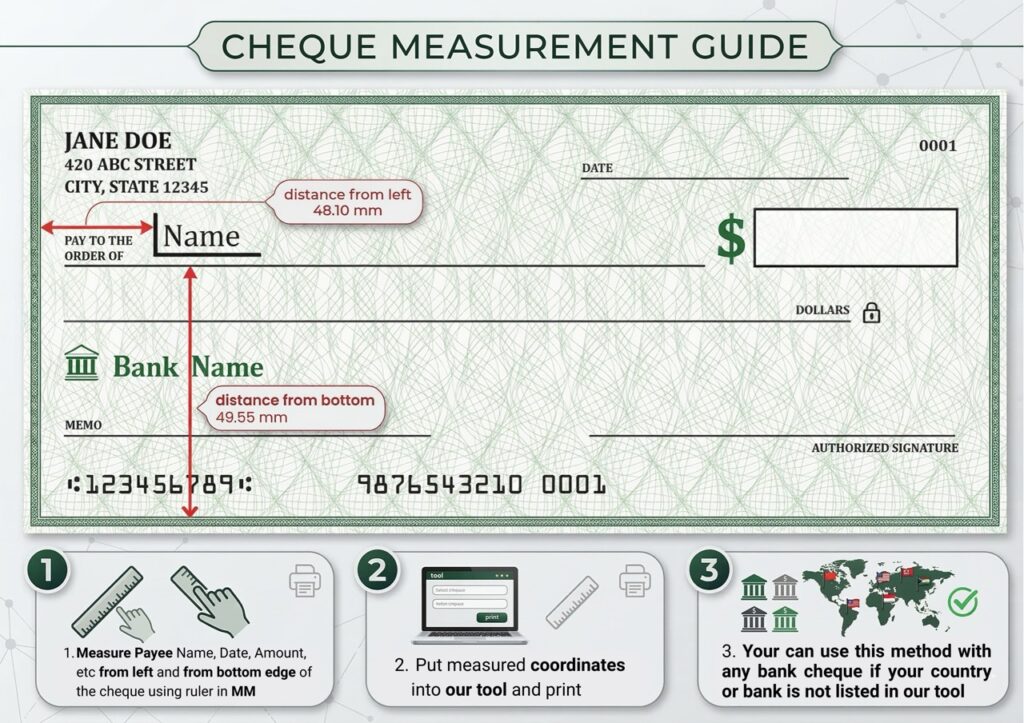
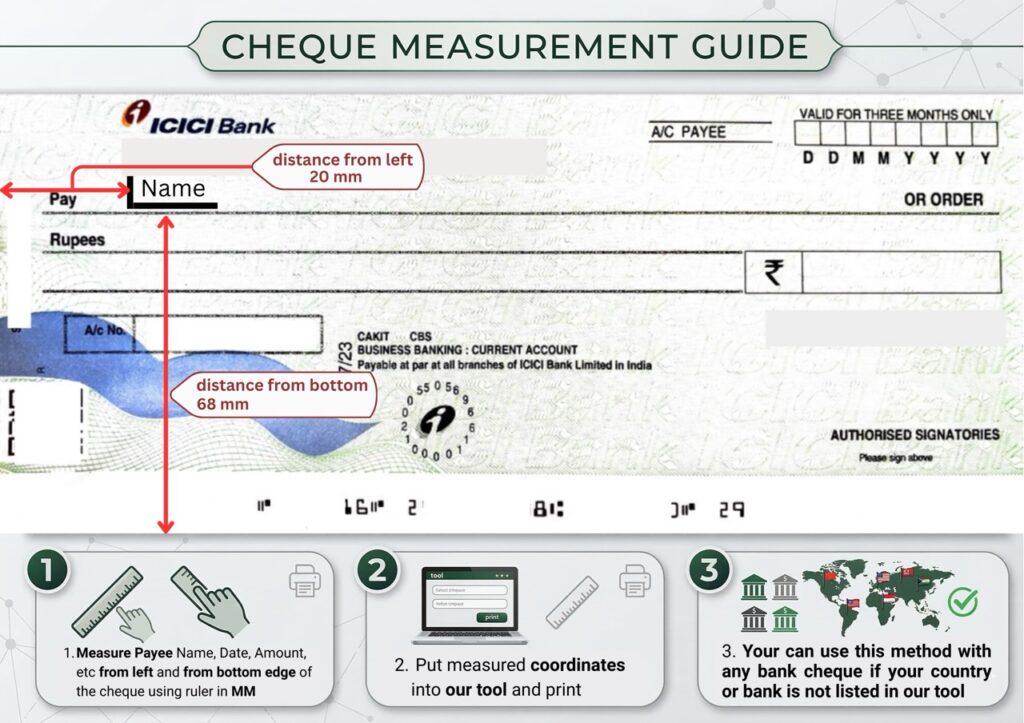
New: Use “🛠️ Custom” to define your own dimensions if your bank uses a unique size.
2. Fill Details
Enter Payee, Date, & Amount.
We auto-convert numbers to words (e.g., “500” → “Five Hundred Only”).
3. Nudge Alignment
Preview looks off? Click the text and use Arrow Keys (⬆️⬇️) or the “Offset” inputs to move text exactly to the line.
4. Print Vertically
Crucial: Insert cheque Short Edge First (Vertically).
Ensure printer scale is set to 100%.
🇺🇸 US Users: Not sure if you have a Personal or Business check? See Check Sizes Guide.
Pro Tips:
Read Our Ultimate Home Print Guide 2026
Frequently Asked Questions
Q: Is it safe to print cheques online here?
A: Yes. chequeprint.cloud is a client-side tool. This means your financial details (payee name, amount) never leave your browser and are never saved on our servers.
Q: What kind of printer do I need?
A: You can use any standard HP printers, Canon, Brother, Epson Laser or Inkjet printers. Laser printers are recommended for better durability.
Q. USA and UK banks also supported?
A. Yes, all USA banks JPMorgan Chase: (Chase), Bank of America: (BofA), Citigroup and UK Banks like Lloyds Bank, Barclays, HSBC etc are supported in this tool. You can also adjust the check dimensions and input fields placement as you like.
Q: Does this work for all Indian banks?
A: Yes. Most banks (SBI, HDFC, ICICI, etc.) follow a standard layout for the “Payee”, “Date”, and “Amount” fields. You can use our Alignment settings to fit any unique cheque format.