Print Chase Checks Online in Under a Minute
Fill the form, see a live preview, and print directly onto your Chase check leaf — no software needed.

Global Cheque Printer
Required Browser
Physical Size: 203mm x 93mm
CRITICAL: Set Print Scale to "Default" or "100%"
Mac, Windows, iOS, and Android standalone apps are in active development. Take your printing offline soon!
How it works
Ready Your Cheque in four steps
From opening Chrome to holding a perfectly printed cheque.
- Use Google Chrome on a desktop.
- Avoid Safari, Firefox, or Edge.
- Select USA, then enter your Chase check Width & Height in mm.
- Double-check dimensions if using custom mode.
- Type amount — words generate automatically.
- Long amounts wrap to a second line.
- Use Absolute Placement to fix misaligned fields.
- Preview updates instantly — click Print!
Why ChequePrint
Key features
Everything built to make cheque printing accurate, private, and effortless.
The tool runs entirely in your browser. No financial data is ever sent to a server.
Real-time side-by-side preview shows exactly how text will align on your leaf.
Automatically converts numbers into words, applying correct fractional units.
Measurement guide
How to measure for Chase Bank
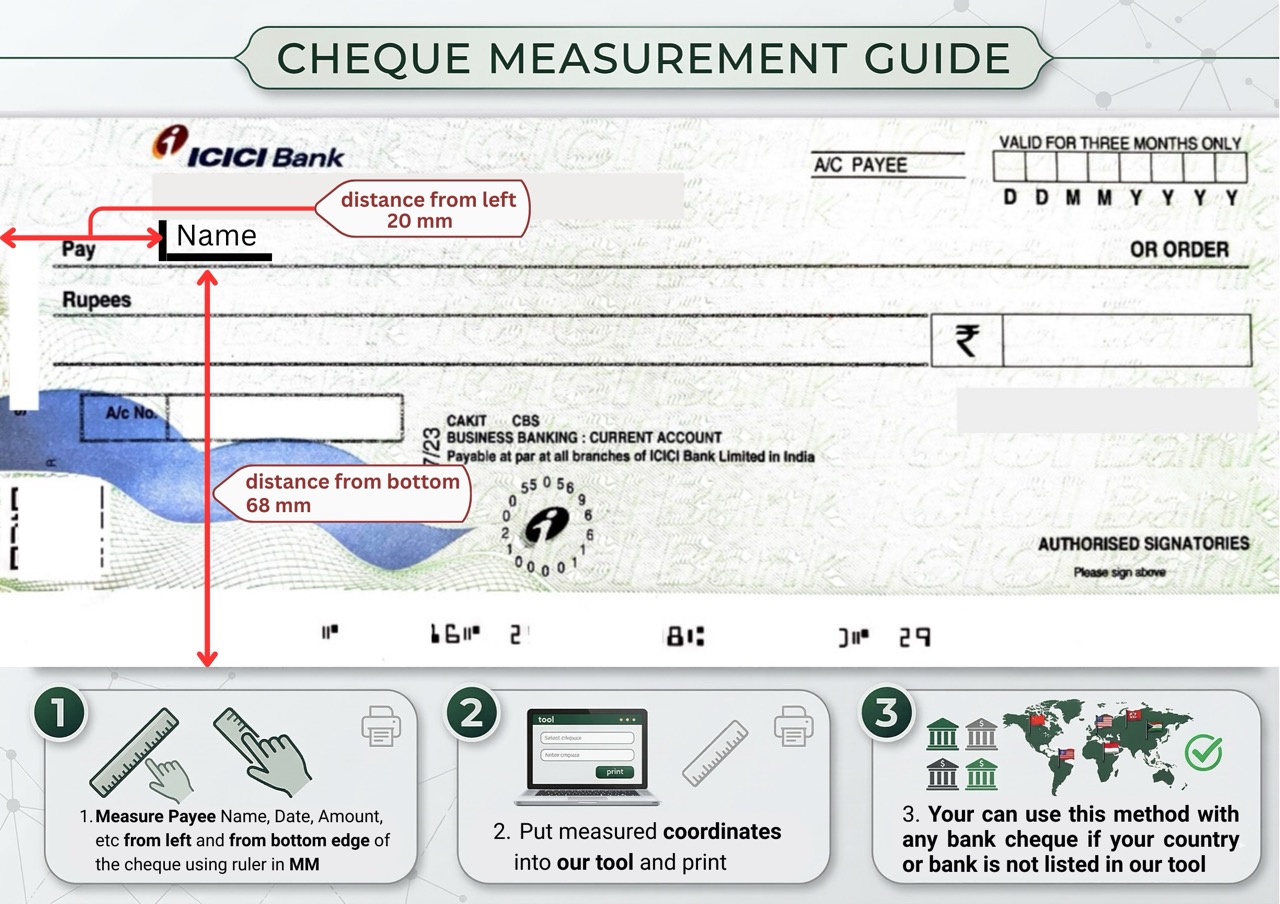
Use a standard ruler to find each field’s position in mm to ensure perfect alignment.
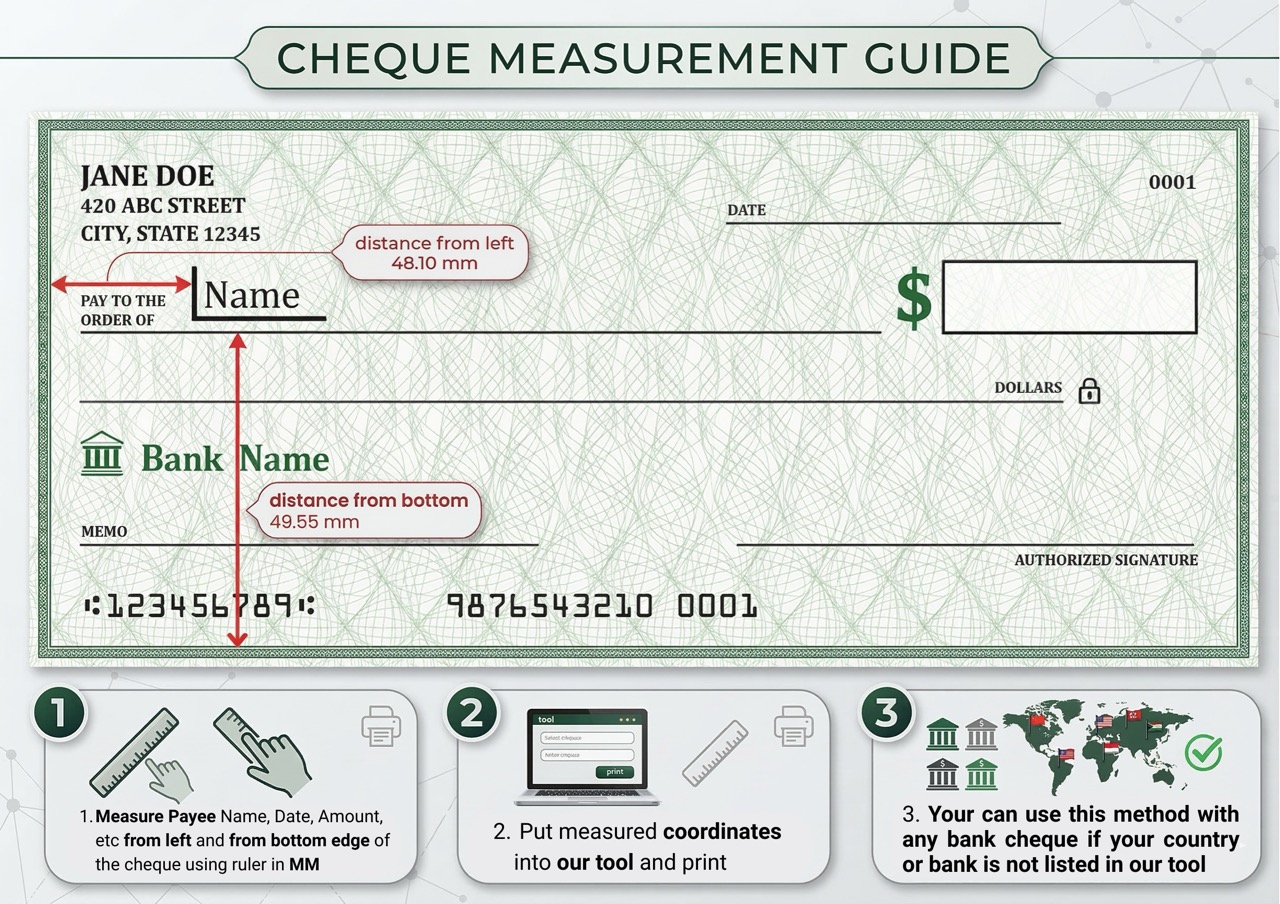
Measure from the left edge and bottom edge in MM.
Enter the values into the tool’s coordinate fields.
Do a test print on a blank piece of paper first.
FAQ
Questions about Chase Bank
Everything you need to know before your first print.
Yes. ChequePrint.Cloud is a client-side tool. Your Chase details never leave your browser.
HP and Brother work great for small Chase personal checks. If you use a laser printer, follow our guide for loading checks into a Brother HL series.
Yes. Our tool gives you flexibility to adjust field placement and change dimensions.
No download needed. Use our cloud-based tool directly in your browser.