Print Cheques on Standard Inkjet Printers
A universal guide to feeding and aligning cheques in standard home and office inkjet printers.

Global Cheque Printer
Required Browser
Physical Size: 203mm x 93mm
CRITICAL: Set Print Scale to "Default" or "100%"
Mac, Windows, iOS, and Android standalone apps are in active development. Take your printing offline soon!
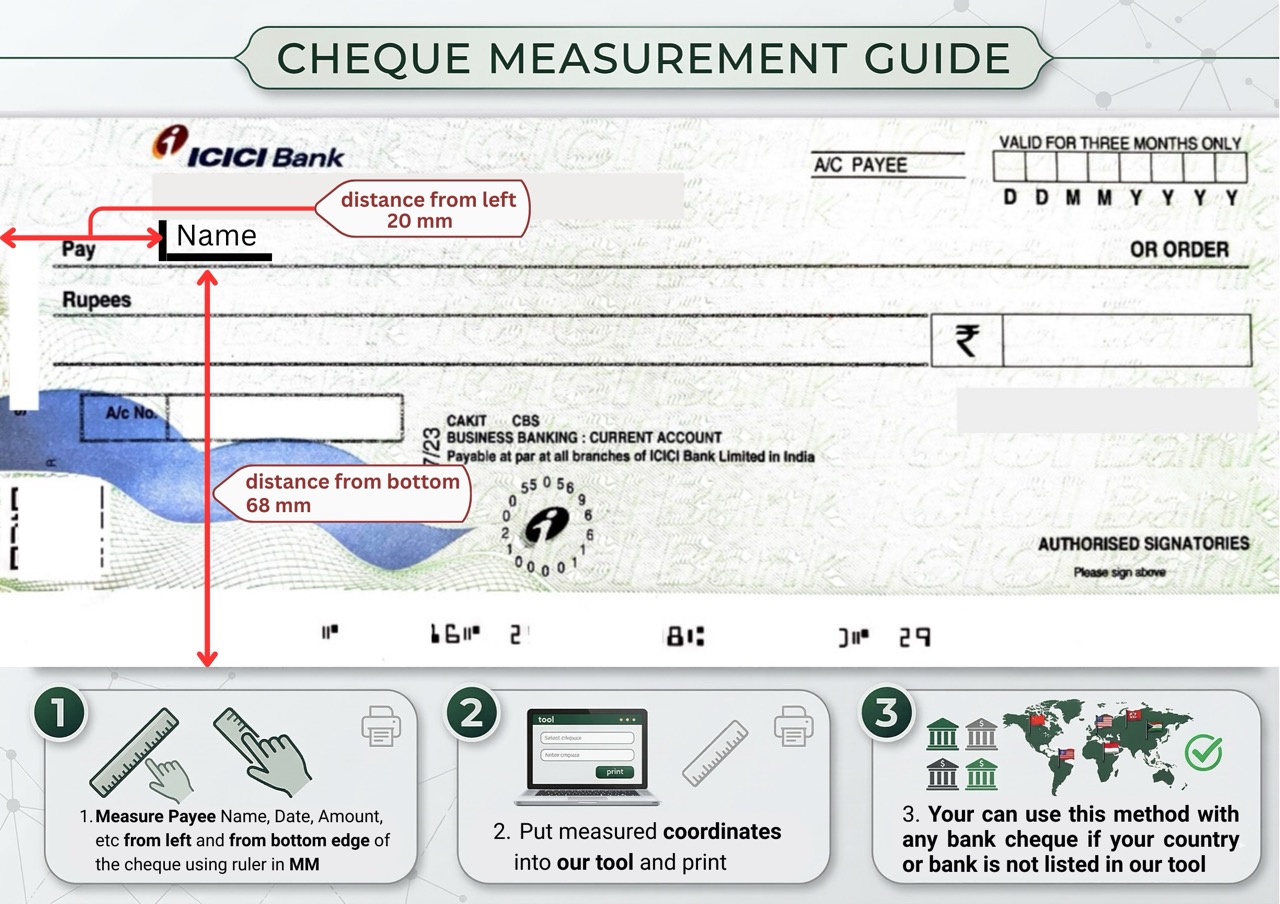
How it works
Align & Print in 4 Steps
Generate your cheque layout and send it to your Standard Inkjet flawlessly.
- Type the amount, payee, and date.
- Words will generate automatically.
- Check the live preview.
- Use ‘Absolute Placement’ if fields misalign.
- Load your cheque: Run a test with an ‘X’.
- Use the Varies (Check your model).
- Always test print on blank paper first!
- Hold it against the light with your real cheque.
Feeding Guide
How to load Standard Inkjet
Avoid paper jams and upside-down printing by loading your cheque correctly.
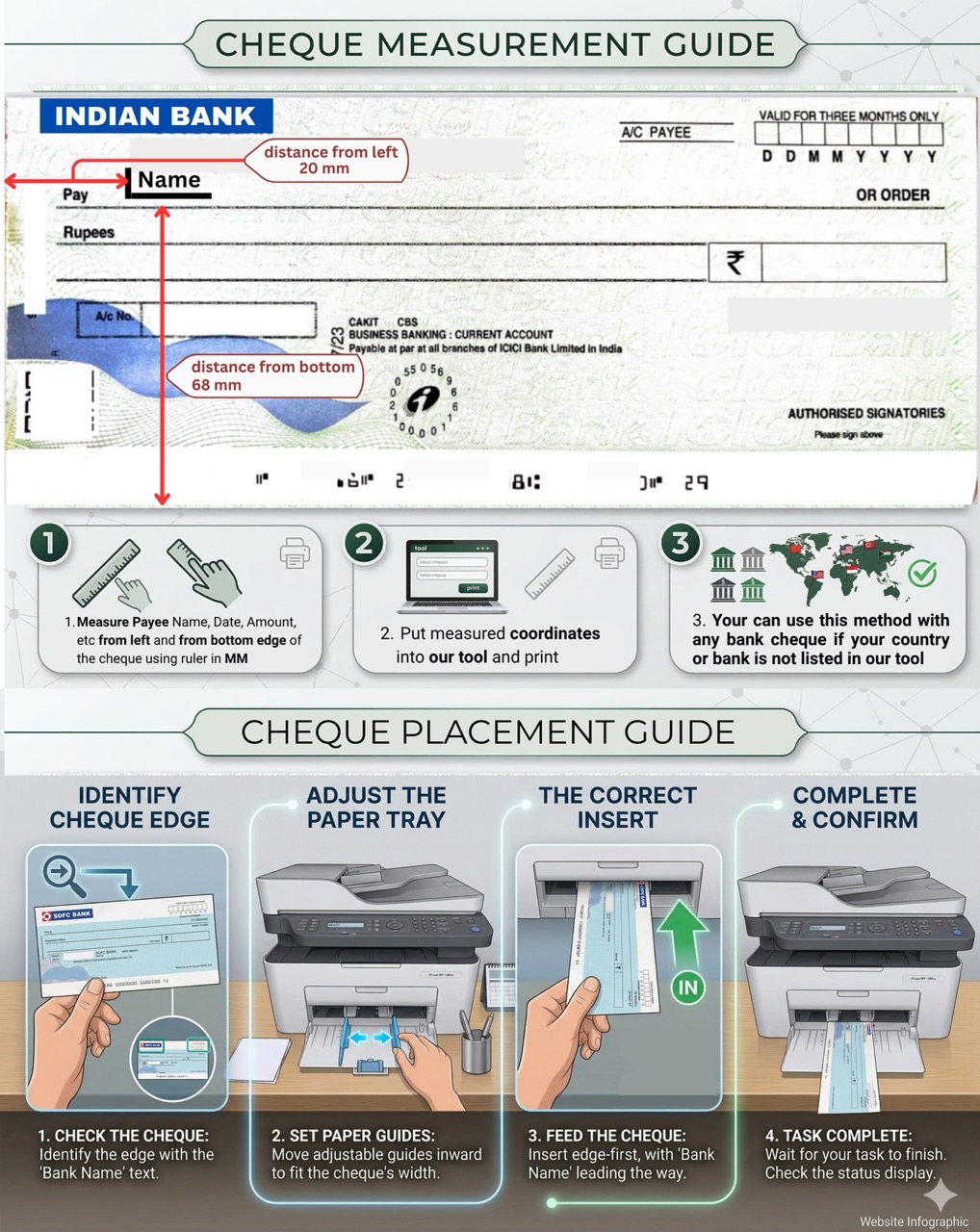
For this model, use the Varies (Check your model) to prevent the cheque from bending or skewing.
Place the cheque Run a test with an ‘X’.
Slide the plastic paper guides tightly against the cheque edges so it pulls straight.
FAQ
Standard Inkjet Troubleshooting
Solutions for common formatting and printing errors.
Take a blank piece of standard paper, draw an arrow pointing UP and an X on the face, then print a test page. This reveals exactly how your specific inkjet flips the paper!
Standard inkjet ink can smudge if handled immediately. Allow at least 15 seconds for the ink to dry completely to ensure the numbers are clear and secure.
This happens when your browser print scale is not set to 100%. Open ‘More Settings’ in the Chrome print dialog and ensure scaling is ‘Default’ or ‘100%’.
We strongly recommend printing cheques one at a time. Small cheque leaves easily stick together, leading to severe paper jams.