Print Your Check Here

Global Cheque Printer
Required Browser
Physical Size: 203mm x 93mm
CRITICAL: Set Print Scale to "Default" or "100%" in print dialogue window
Mac, Windows, iOS, and Android standalone apps are in active development. Take your printing offline soon!
Print check online
in under a minute
The fast, secure, free online check writer. No signup required, zero software downloads,
and 100% Check 21 compliant.
How it works
Ready Your Check in four steps
From opening Chrome to holding a perfectly printed check — here is exactly what to do.
- Use Google Chrome on a desktop — our engine is calibrated for it.
- Avoid Safari, Firefox, or Edge — they handle margins differently.
- Do not print from a mobile phone. Mobile App will launch soon
- Select your Region: India, USA, UK, or Other.
- India users: pick your specific bank — coordinates load automatically.
- Global users: enter your check Width & Height in mm.
- Type the amount — words generate automatically in lakhs or millions.
- Long amounts wrap to a second line with a 6mm gap automatically.
- Toggle A/C Payee on or off (Indian checks only).
- Go to Absolute Placement Coordinates and find the misaligned field.
- Adjust From Left or From Bottom.
- Preview updates instantly — one more test print and you are done!
Why ChequePrint
Key features
Everything built to make cheque printing accurate, private, and effortless — right from your browser.
Payee names, amounts and dates are processed on your device when you print. We only keep an anonymous counter for the free daily limit. Pro cloud saving is optional.
A real-time side-by-side preview shows exactly how your text will be positioned on the final physical cheque as you type — no guessing.
Automatically converts amounts into words. Intelligently switches between Indian (Lakhs/Crores) and Western (Millions/Billions) based on your selected region.
Automatically formats the date to match regional standards — DD/MM/YYYY for India, MM/DD/YYYY for the USA — so it always fits perfectly on the cheque.
Includes a searchable global currency database. The correct fractional units — Cents, Paise, Pence, Centavos — are applied to the written amount automatically.
Bank not listed? Use a standard ruler to measure your check dimensions and field positions in mm. Enter those numbers and the tool instantly adapts — no technical skills needed.
Measurement guide
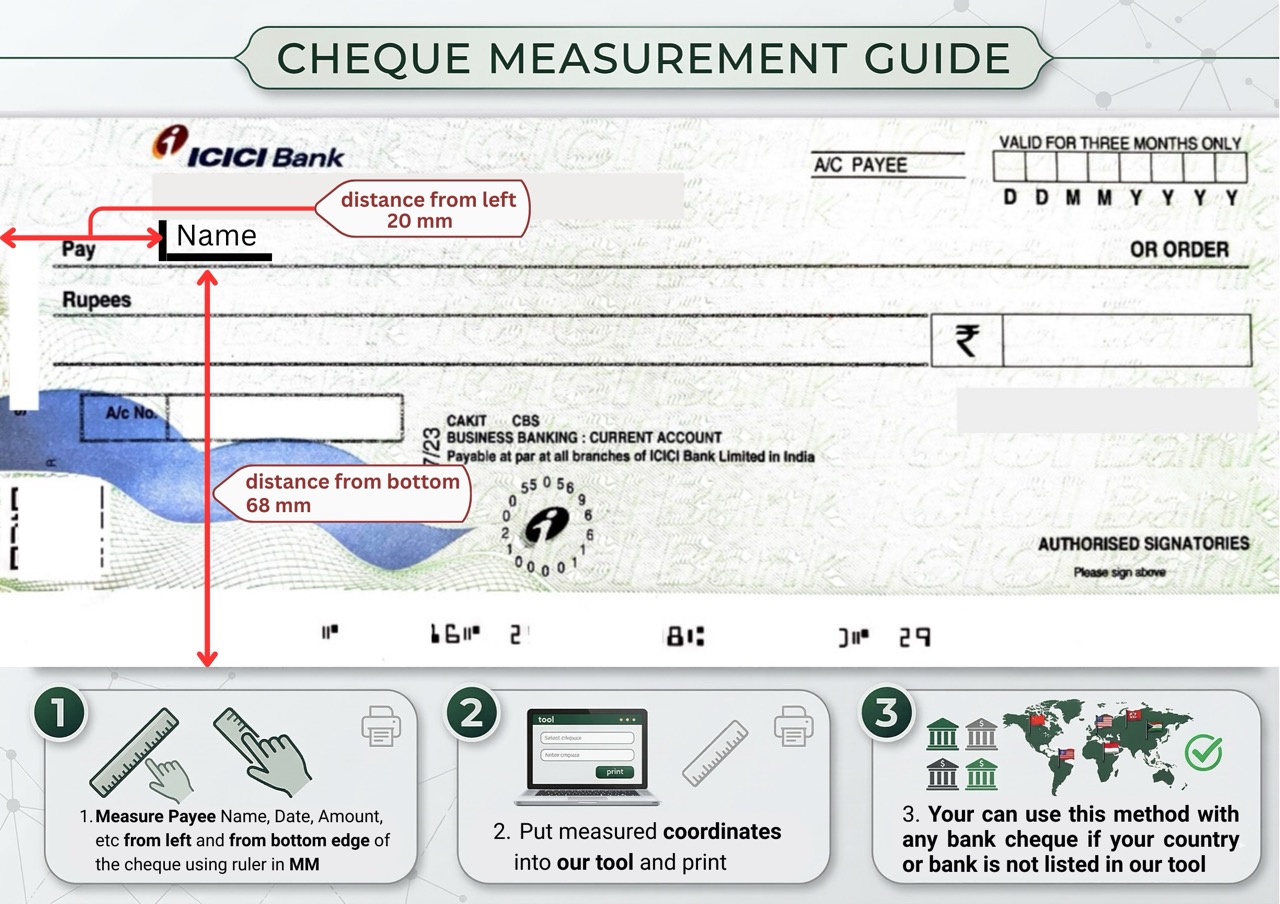
How to measure your check
Use a standard ruler to find each field’s position in mm — works for any bank in any country, even if it’s not listed in the tool.
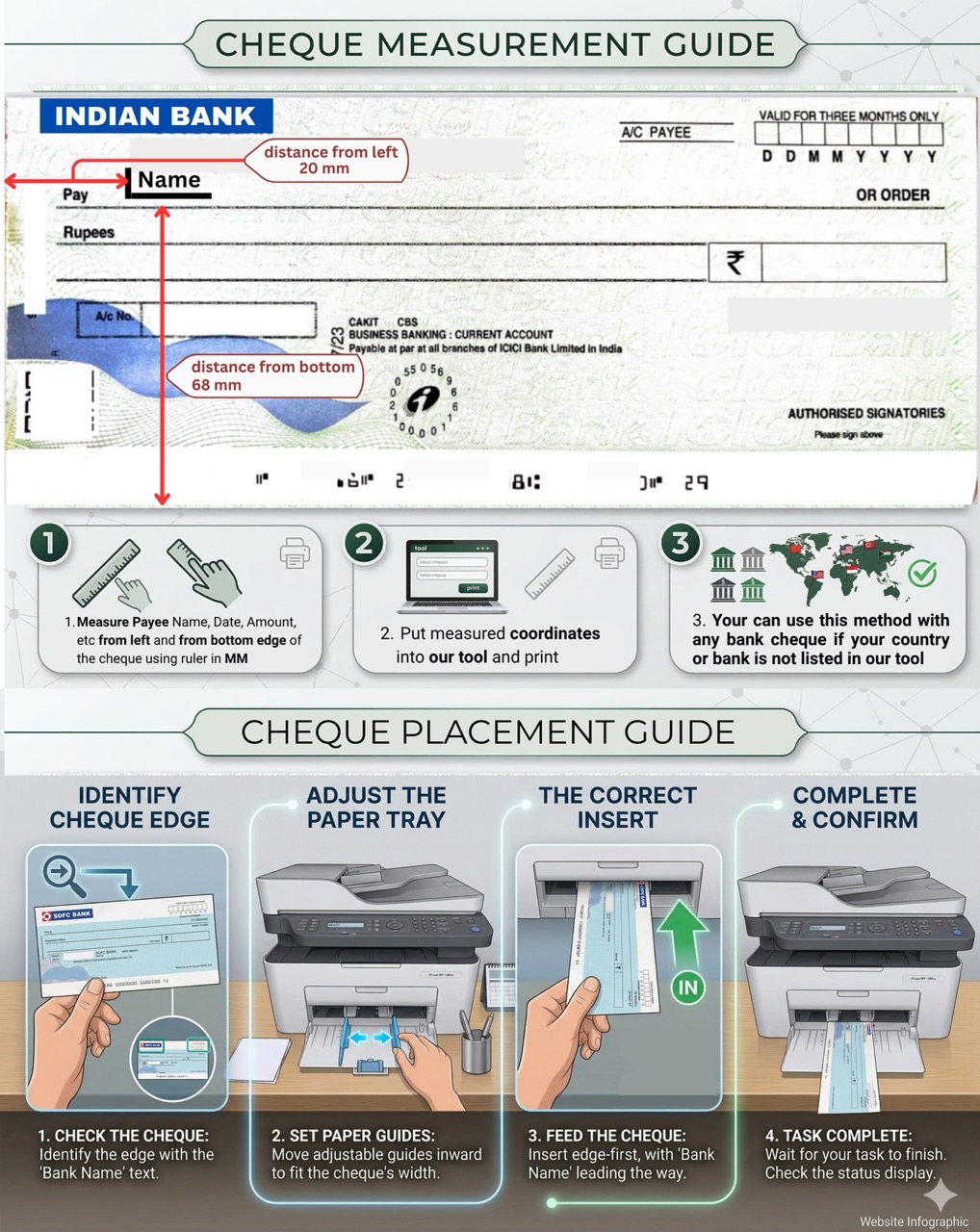
Measure Payee, Date, Amount fields from the left edge and bottom edge of the check in MM.
Enter the measured values into the tool’s coordinate fields and click Print.
Use this method for any Indian bank check — even if your bank is not listed in the tool.
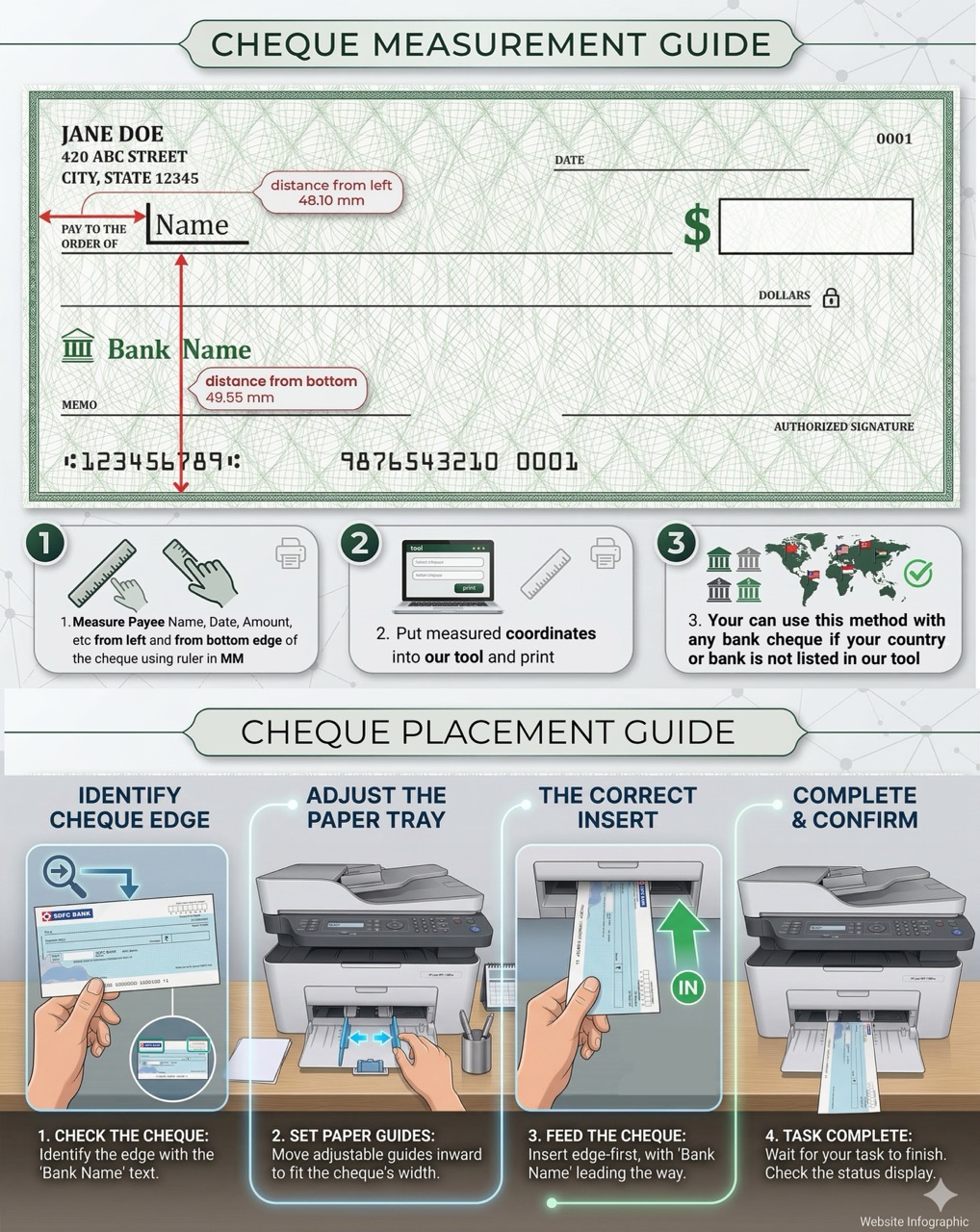
Measure Payee, Date, Amount fields from the left edge and bottom edge of the cheque in MM.
Enter the measured values into the tool’s coordinate fields and click Print.
Use this for Chase, Bank of America, Barclays, HSBC and any bank not listed in the tool.
Printer loading guide
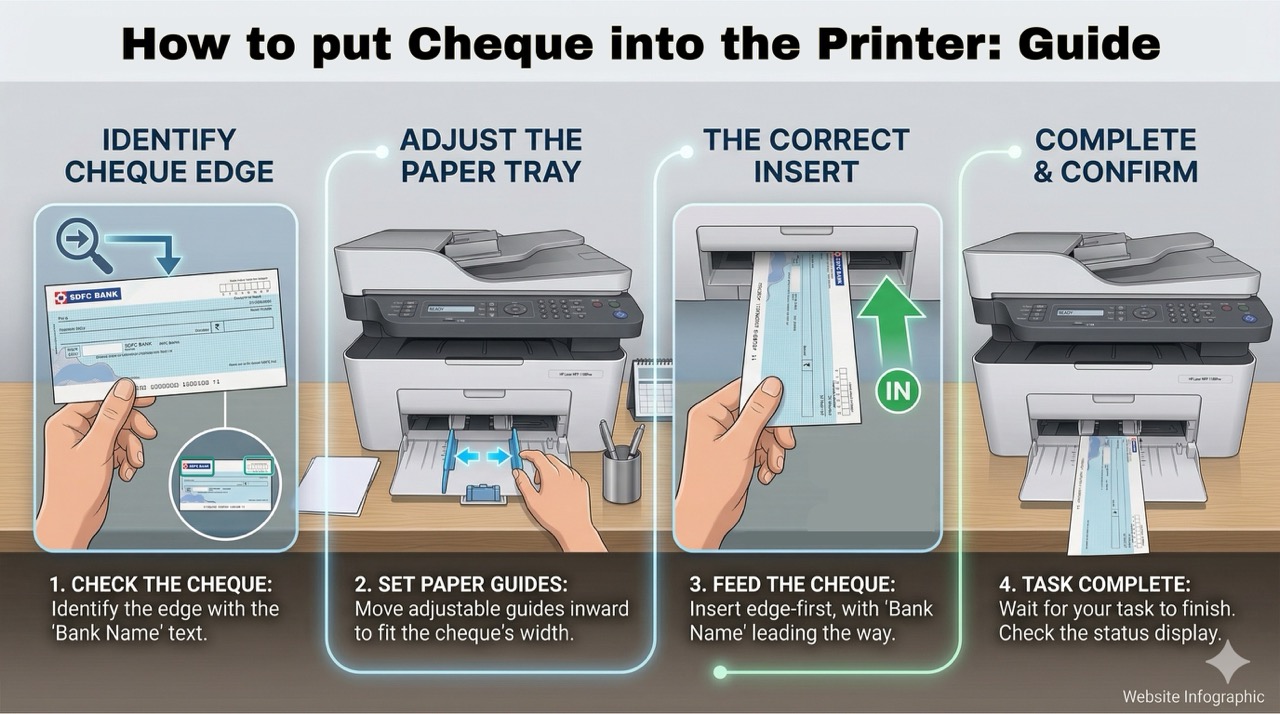
How to put your check into the printer
Follow these four steps carefully — loading the check in the wrong direction is the most common cause of a misaligned print.
Identify the edge that has the Bank Name printed on it. This edge goes into the printer first.
Move the printer’s adjustable paper guides inward to match the exact width of your check.
Insert the check short edge first, with the Bank Name side leading. Hold it straight as it feeds.
Wait for the printer to finish. Check the status display and collect the printed check carefully.
FAQ
Common questions
Everything you need to know before your first print.
Track every rupee.
Effortlessly.
A pre-built Google Sheets template with live formulas, GST auto-calculation, invoice tracking & a cheque register — ready the moment you open it.